
Up Bookings
Four friends playing doubles pickleball on an outdoor court on a sunny afternoon, with bushveld trees behind the fence.

Book a court in seconds. Clubs get paid directly.

Up Bookings is the court-booking app for pickleball, padel and tennis clubs in South Africa. Players see the free times, pay with PayFast and arrive with an eTicket. Clubs run the day from one screen, and every payment goes straight into the club's own PayFast account.

Android and iPhoneCard, Instant EFT and more with PayFastMade in South Africa

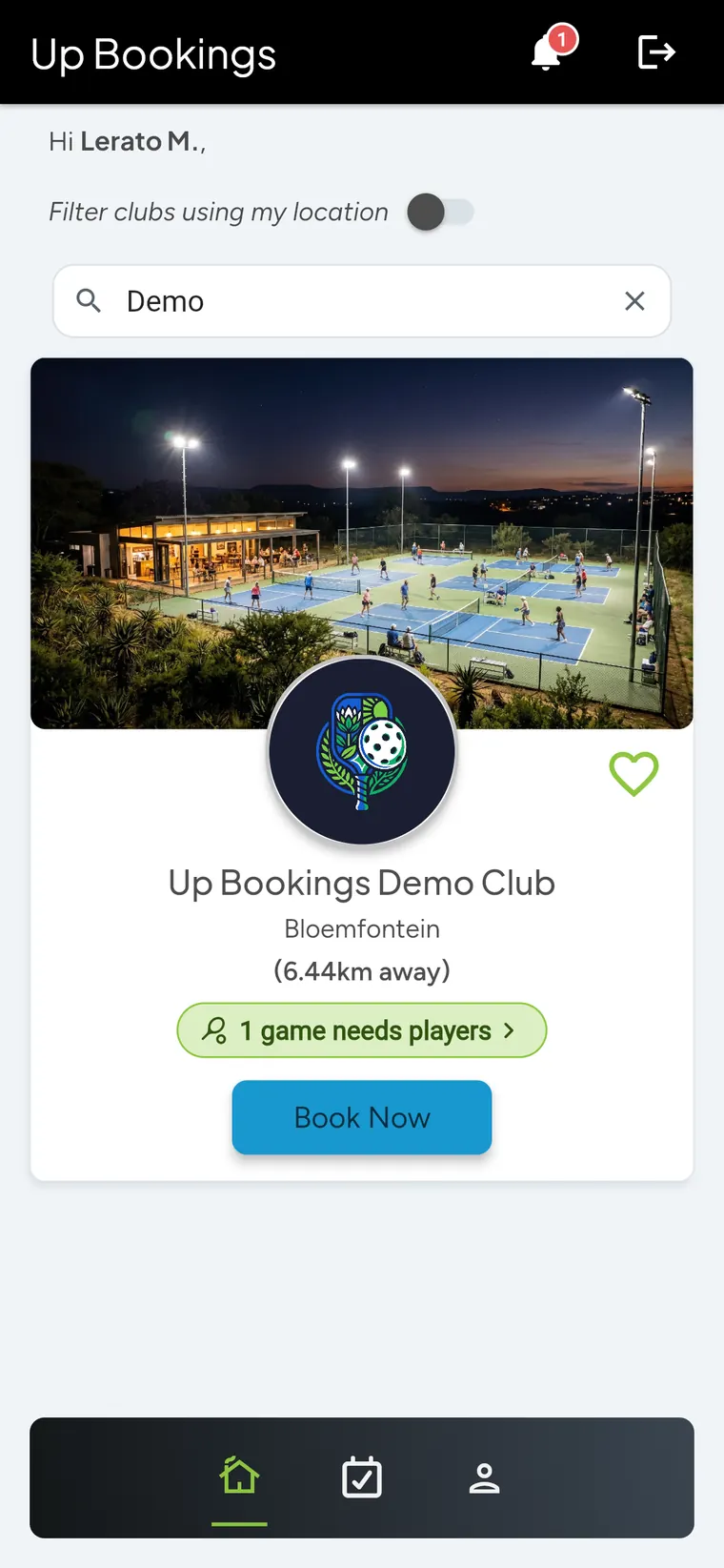
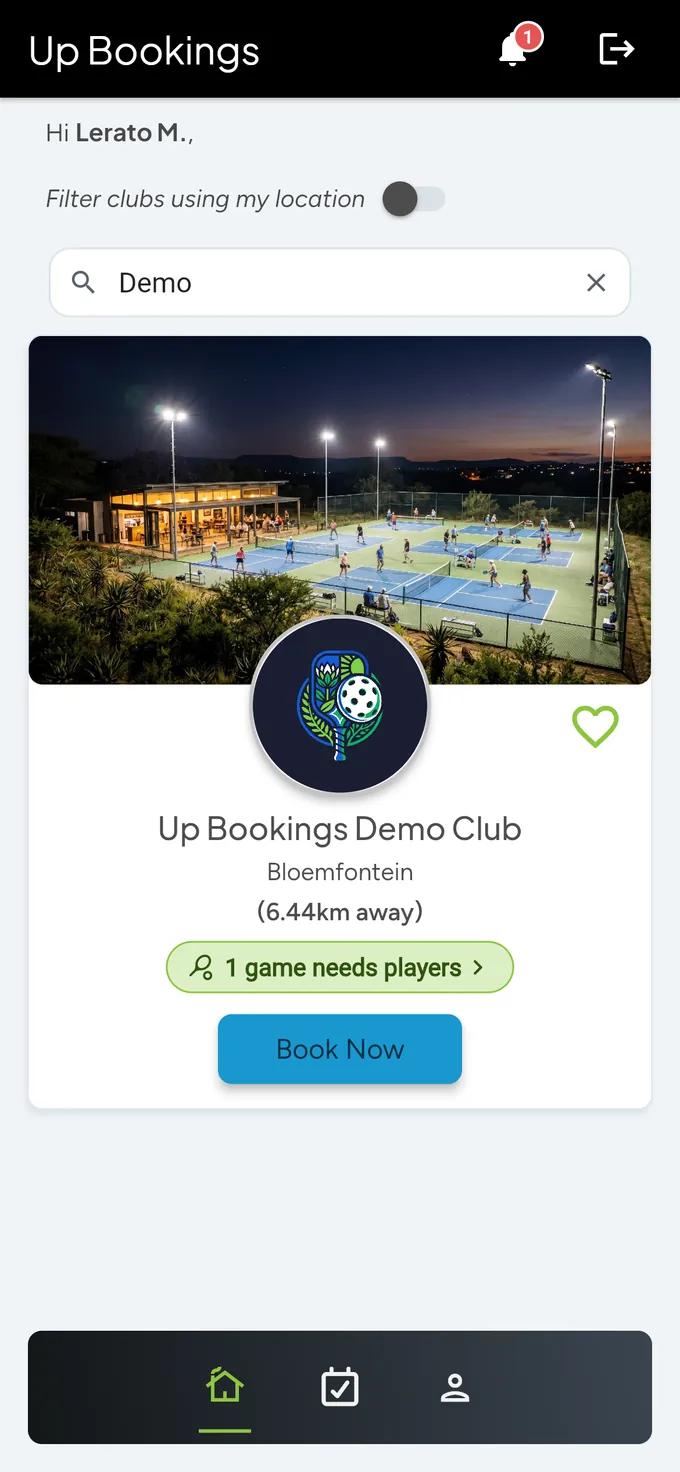
The Up Bookings app home screen: a search for Demo finds Up Bookings Demo Club, with a photo of floodlit pickleball courts, the club logo, Bloemfontein, a 1 game needs players tag and a Book Now button.
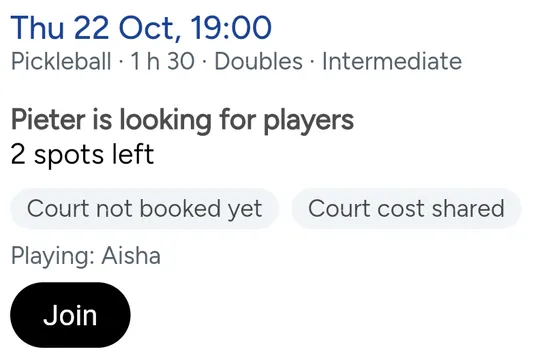
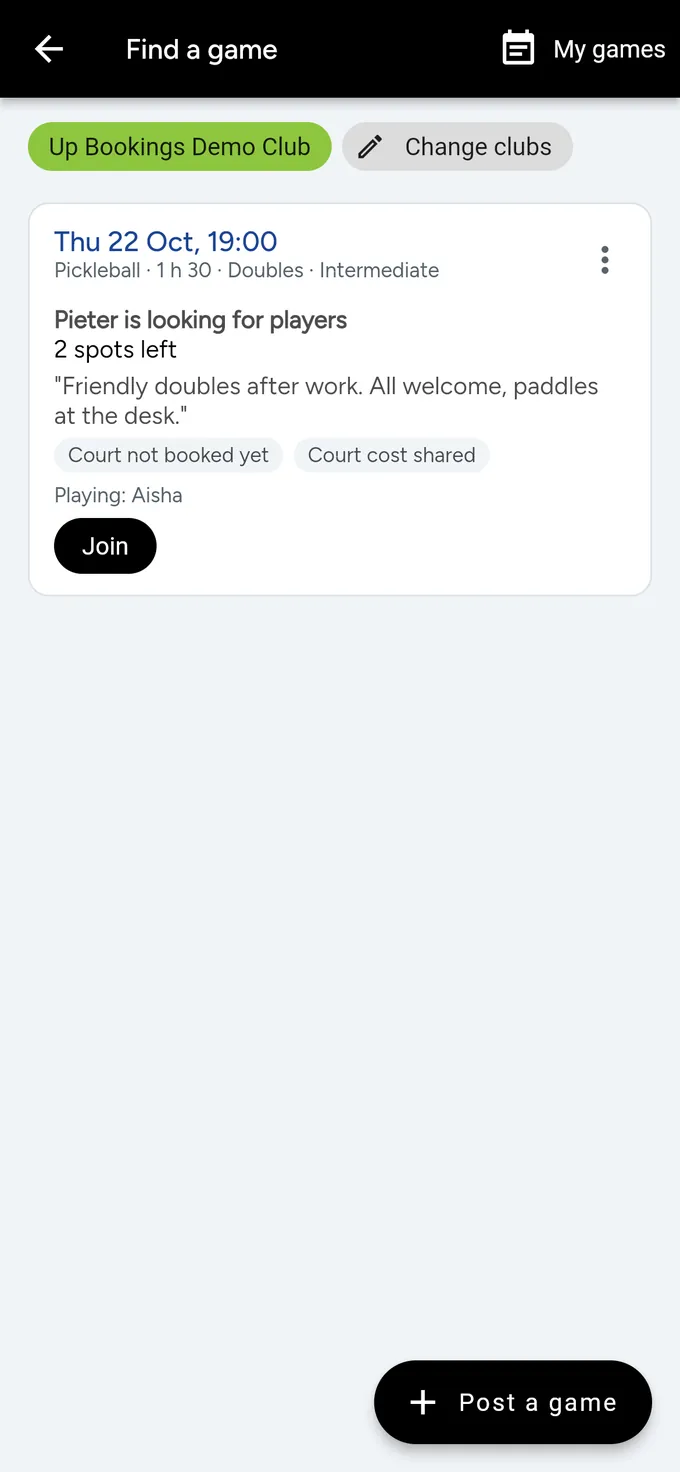
A game card from Find a game: Thursday 22 October at 19:00, pickleball doubles for 1 hour 30, intermediate. Pieter is looking for players, 2 spots left, court cost shared, Aisha is playing, and a Join button.

From free court to eTicket in three steps

  1. 1Find your club

    Search by club name or town, or see clubs near you. Tap the heart on the clubs you play at to find them quickly.

    Club search in the app: Demo typed in the search box finds Up Bookings Demo Club in Bloemfontein, 6.44 km away, with a photo of floodlit courts at dusk, the club logo, a heart to save it, 1 game needs players and a Book Now button.
  2. 2Tap the free times

    Choose your day and tap the open slots. Clubs book in 30- or 60-minute blocks. Need paddles? Add them to the booking.

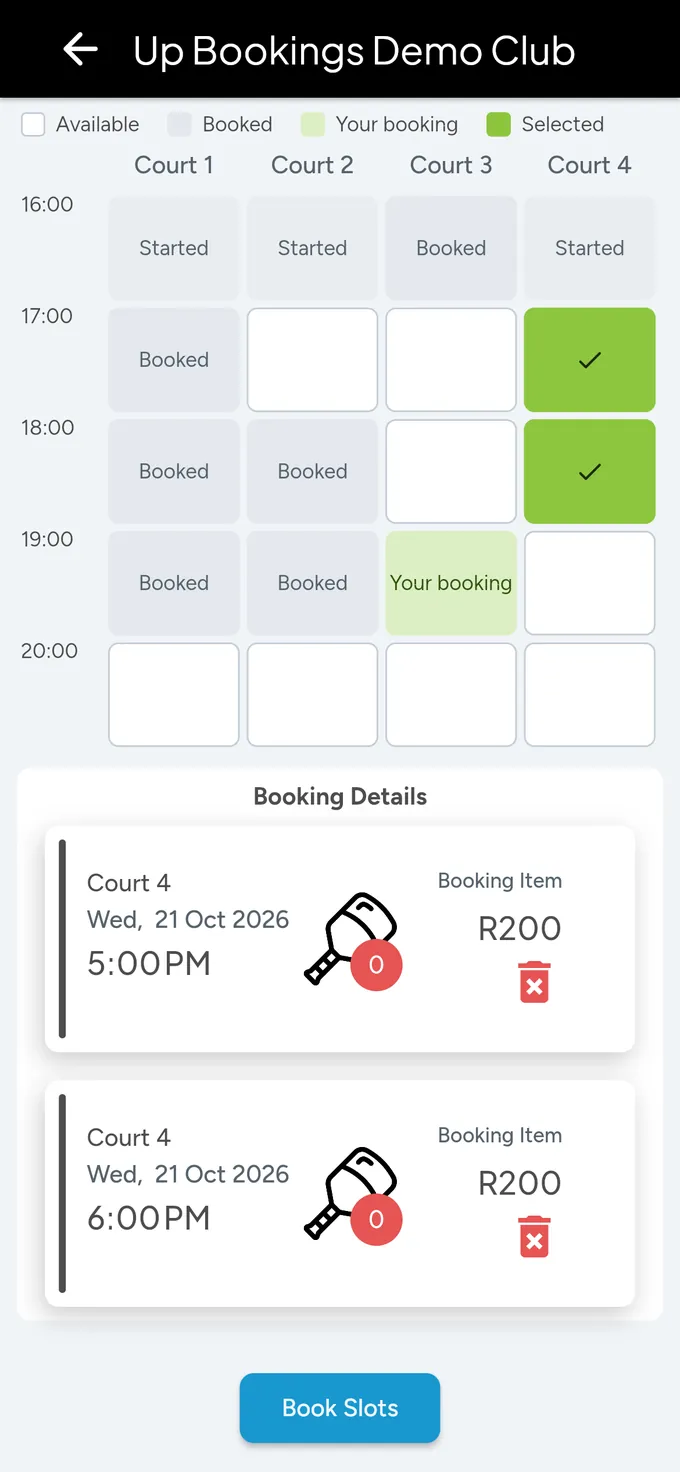
    The club timetable from 16:00 to 20:00 on courts 1 to 4: started and booked slots in grey, your booking at 19:00 on Court 3 in light green, and two picked slots on Court 4 at 17:00 and 18:00 with green ticks. Below, Booking Details lists both slots on Court 4 on Wednesday 21 October, R200 each, and a Book Slots button.
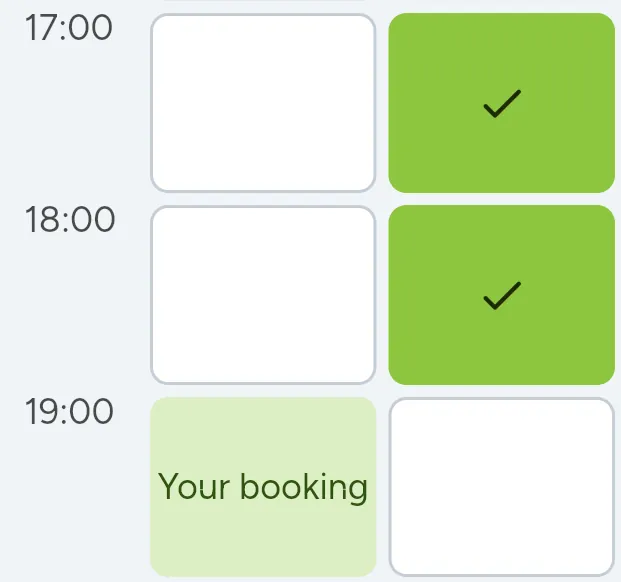
    Enlarged: the two picked slots on Court 4 at 17:00 and 18:00, ticked in green, and Your booking on Court 3 at 19:00.
  3. 3Pay and play

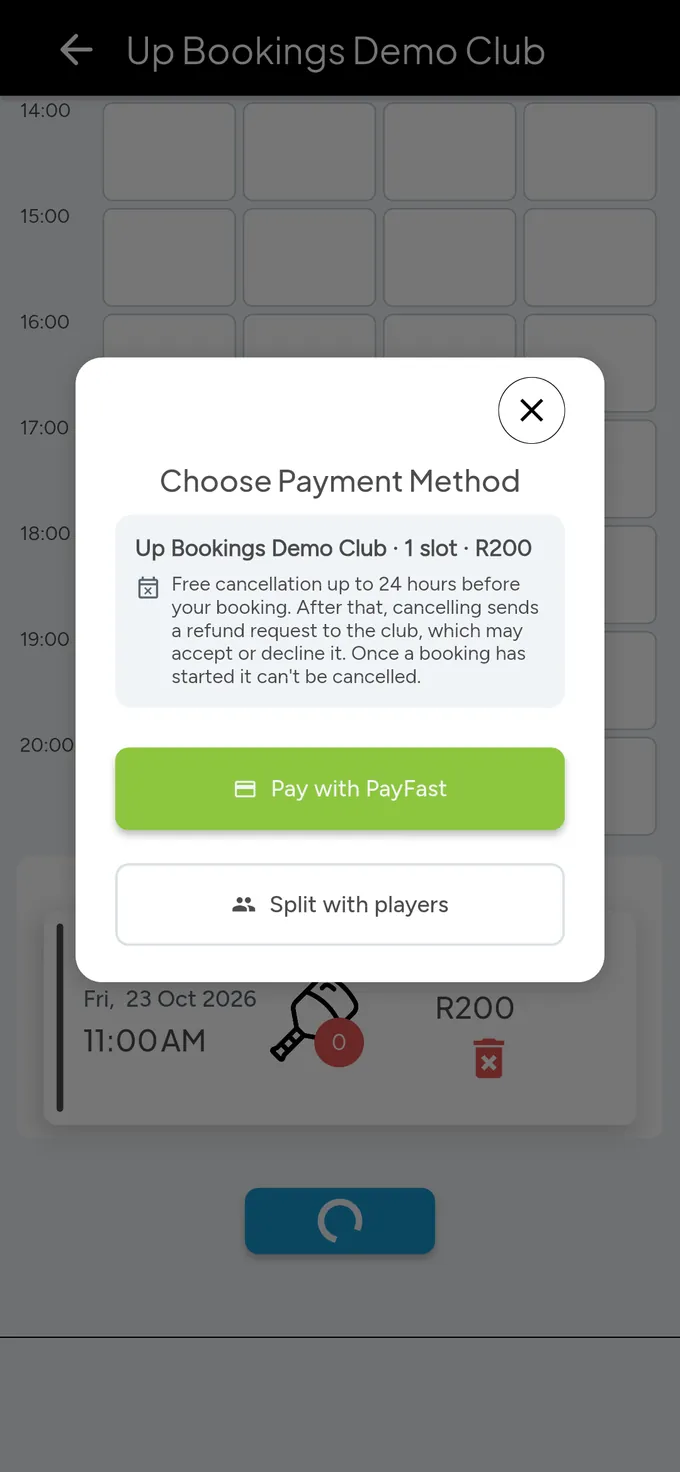
    Before you pay, you see the total and the club's cancellation rule. Pay with PayFast: card, Instant EFT, Apple Pay, Google Pay and more, depending on the club. The money goes straight to the club. Your eTicket has a QR code for check-in and directions to the venue.

    Choose Payment Method over the dimmed timetable: Up Bookings Demo Club, 1 slot, R200, the club's cancellation rule, and two buttons: Pay with PayFast, and Split with players.
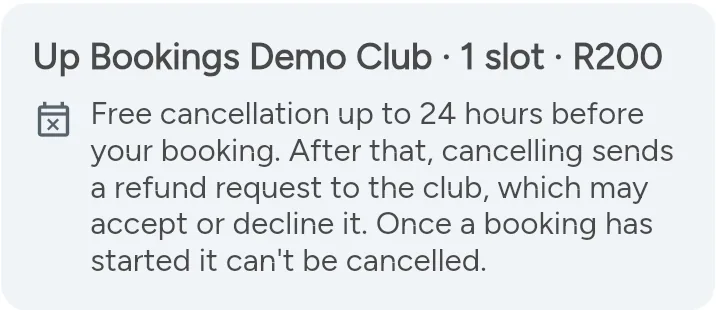
    Enlarged: Up Bookings Demo Club, 1 slot, R200. Free cancellation up to 24 hours before your booking. After that, cancelling sends a refund request to the club, which may accept or decline it. Once a booking has started it can't be cancelled.

Short of a player? Post a game.

With Play together, find a game at your clubs that needs players and join with a tap. Or post your own when you're one or two short, and let players come to you.

  • See who's playing before you join. Once you're in the game, you also see the other players' photos, unless they've switched theirs off.
  • Share the court cost with the players, or pay for the court yourself.
  • Get a notification when a game at your clubs needs players.

Play together is for players aged 18 and older.

Two players high-fiving over the net after a game of pickleball under floodlights, with other players watching from the benches.
Find a game at Up Bookings Demo Club: on Thursday 22 October at 19:00, pickleball doubles for 1 hour 30, intermediate. Pieter is looking for players, 2 spots left: Friendly doubles after work, all welcome, paddles at the desk. Court not booked yet, court cost shared, Aisha playing, a Join button, and a Post a game button at the bottom.
Find a game: one game at the demo club needs players.

After you book: split the cost, then show your QR code

Everything for the game lives in My Bookings: who has paid their share, and the eTicket you show at the desk.

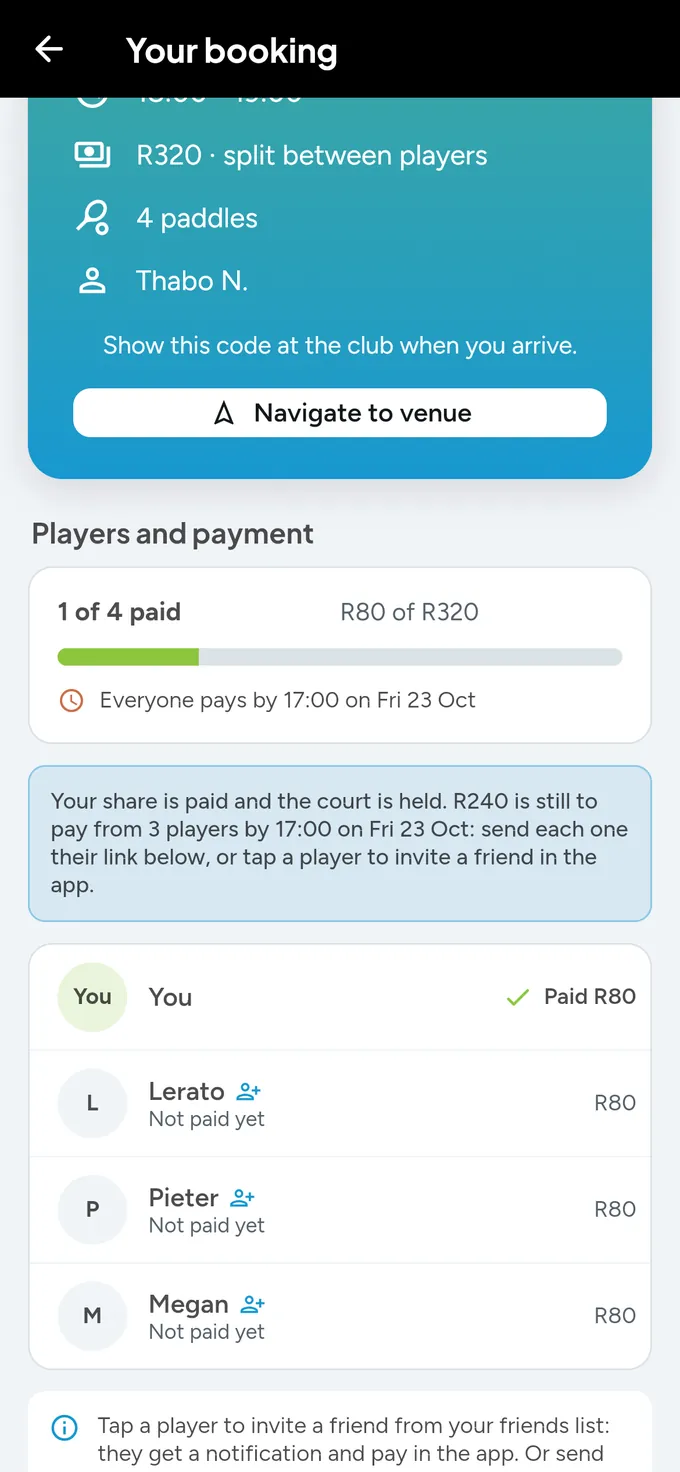
A split booking: R320 split between players, 4 paddles, Thabo N., and a Navigate to venue button, then Players and payment: 1 of 4 paid, R80 of R320, everyone pays by 17:00 on Friday 23 October. Your share is paid and the court is held; R240 is still to pay from 3 players. You have paid R80; Lerato, Pieter and Megan have not paid yet, R80 each.
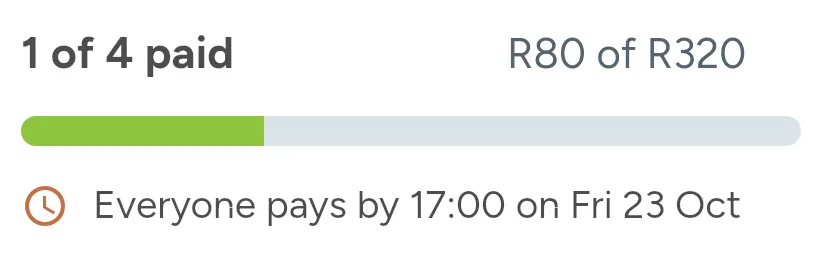
Enlarged: 1 of 4 paid, R80 of R320, with the progress bar, and Everyone pays by 17:00 on Fri 23 Oct.
A split booking: your share is paid and the court is held.

Everyone pays their own share

Book the court and choose Split with players. You pay your share, and each friend gets a link to pay theirs with PayFast. No chasing anyone for cash afterwards.

  • The court is held as soon as the first share is paid.
  • See who has paid and who still has to.
  • Leave a paid game in time and your share is refunded.
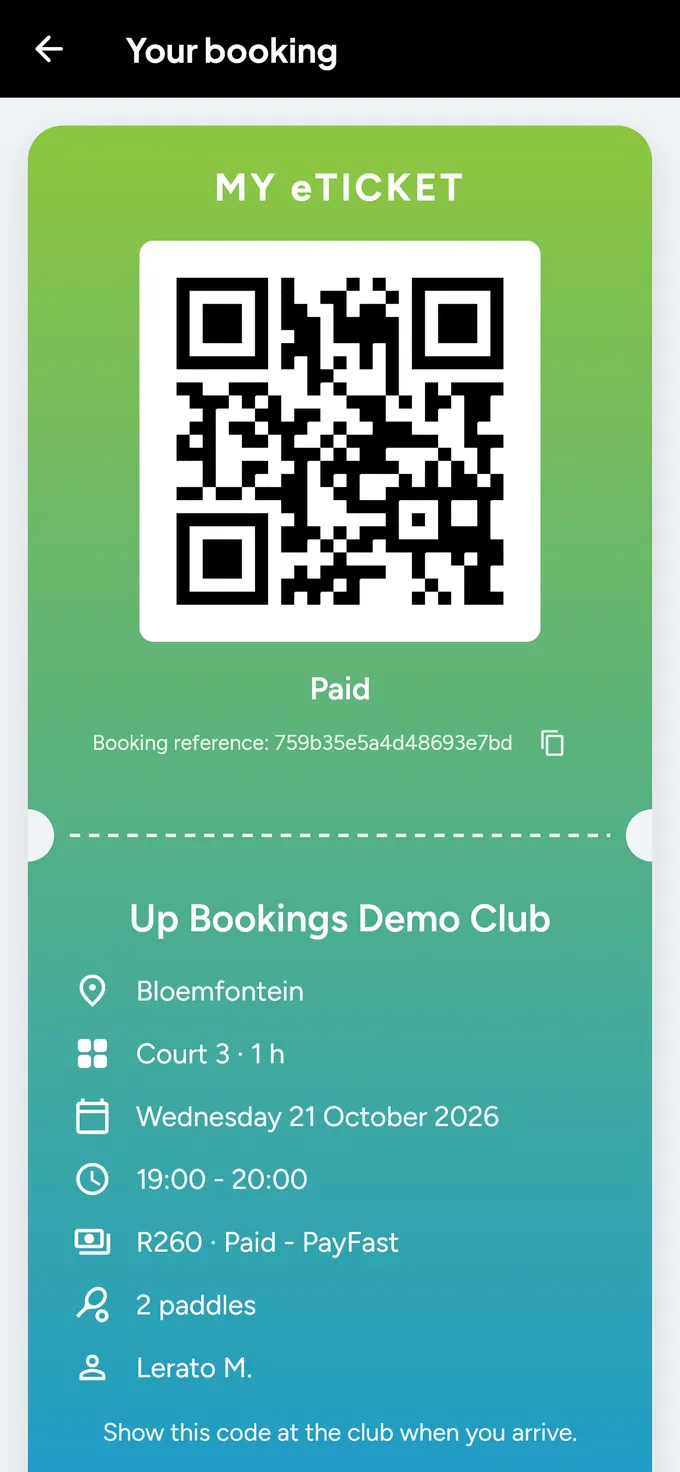
The Up Bookings eTicket: a green-to-blue card headed MY eTICKET with a QR code on white, Paid and the booking reference, then Up Bookings Demo Club in Bloemfontein, Court 3 for 1 hour, Wednesday 21 October 2026, 19:00 to 20:00, R260 paid with PayFast, 2 paddles, Lerato M., and Show this code at the club when you arrive.
Your eTicket: show this QR code at the desk. Find it in My Bookings.

Show your QR code and play

Your eTicket is in My Bookings. Show the QR code at the desk, or tap Navigate to venue for directions in your maps app.

  • Booking reminders, game updates and invites from friends.
  • You choose which notifications you get, in your Profile.

Good to know

Cancel in time, get it back

Each club sets a free cancellation window. Cancel inside it and the club refunds you in full. After that, cancelling sends a refund request to the club.

Under 18?

You can book courts once a parent or guardian approves. We send them one message by WhatsApp or email, with a link to approve.

Friends

Add your playing partners as friends, so splitting a court or inviting them to a game takes a tap.

Your account, your call

Delete your account in the app at any time, under Profile. How deletion works.

Run your courts. Keep your takings.

For clubs: online bookings, walk-ins, the club desk, reports and Play together for one flat fee per court. Players pay you directly, into your own PayFast account.

R125per court a month, incl. VAT

Capped at R400 a month, however many courts. Minimum 2 courts.

No commission on bookings Launch offer: 3 months free Cancel any time
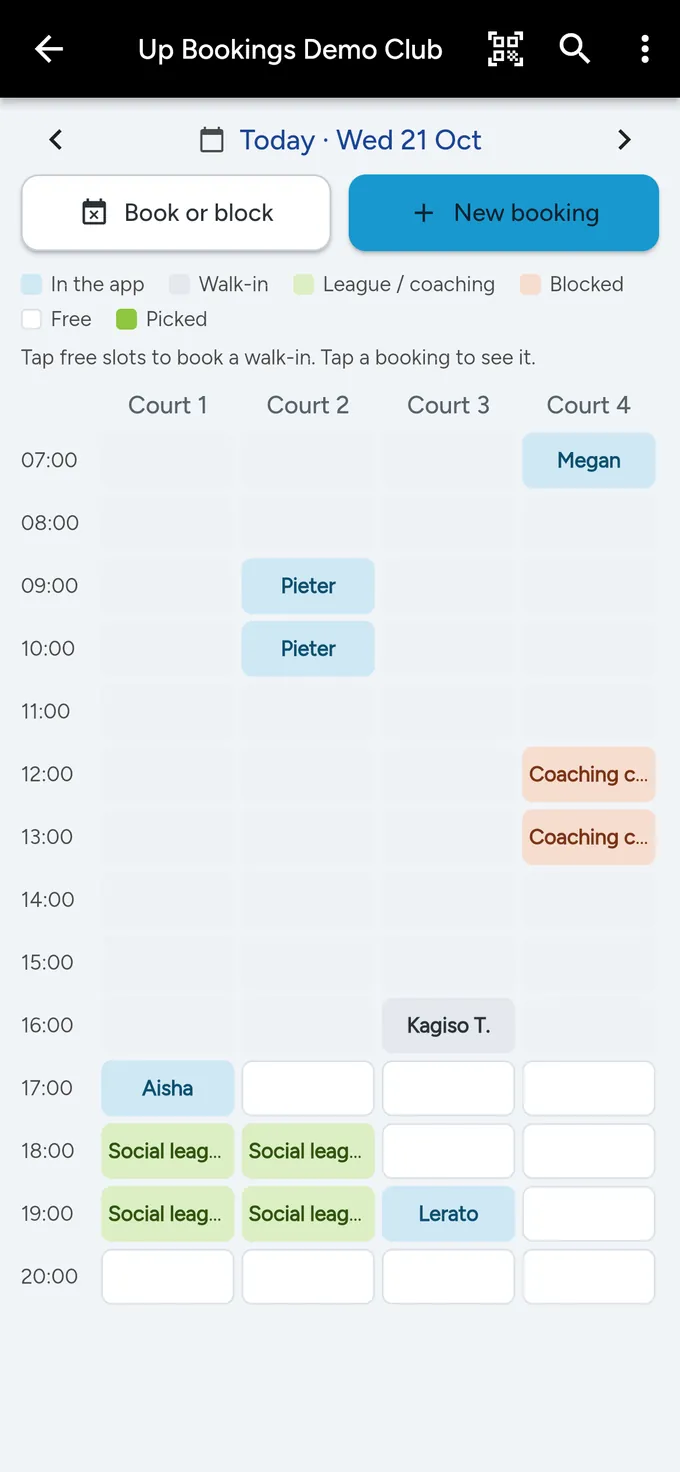
Today's courts, the club desk, for Wednesday 21 October: Book or block and New booking buttons, a colour key, and courts 1 to 4 from 07:00 to 20:00 with app bookings in blue for Megan, Pieter, Aisha and Lerato, a walk-in for Kagiso T. in grey, the Social league in green and a Coaching clinic block in orange.
Today's courts: the whole day on one screen.

Straightforward about money and data

Your money goes to the club

Payments go through PayFast straight into the club's own account. BizTrack never holds your booking money.

Your details stay yours

We use your information to run your bookings and games, and we don't sell it. We follow South Africa's privacy law, POPIA. Privacy notice.

A South African company

Up Bookings is made by BizTrack (BZ Tracking Solution (Pty) Ltd), a registered VAT vendor. You can reach a person by phone, email or WhatsApp.

Questions players ask

What does the app cost?

The app is free to download. You pay the club's price for the court, and Up Bookings adds no booking fee.

Which sports can I book?

Pickleball, padel, tennis and other court sports, depending on what each club lists. Clubs set their own booking length: 30 or 60 minutes.

Is my club on Up Bookings?

Search for it in the app by name or town. If it isn't there yet, send your club our page for clubs: upbookings.web.app/clubs.

Can I join club events?

Yes, when your club runs them. Open the club in the app and tap View events. Join for yourself and up to three friends, or enter as a team, and pay with PayFast or at the door if the club allows it. Your ticket with its QR code is in My Bookings.

How do I pay?

With PayFast: card, Instant EFT, Apple Pay, Google Pay, Samsung Pay and more, depending on what the club accepts. The money goes straight to the club's PayFast account. You can also split the court cost, so each player pays their own share.

How do I cancel, and do I get a refund?

Open the booking in My Bookings and tap Cancel booking. Each club sets a free cancellation window, shown when you cancel. Cancel inside it and the club refunds you in full.

After that, cancelling sends a request to the club, which can accept or decline it. Once a booking has started it can't be cancelled.

Can I play if I'm under 18?

Yes. A parent or guardian approves Up Bookings before you can book and pay: we send them one message by WhatsApp or email, with a link to approve or decline. Play together is for players aged 18 and older.

How do I delete my account?

In the app, go to Profile, then Delete my account. Your personal details are removed straight away. Past bookings and payments stay with the club for its records, without your name, email address or phone number. More about deleting your account.

Get Up Bookings

Find a free court near you, book it in seconds and bring your friends.